AERONET Instrument Troubleshooting Interface - Solutions for DCP BATTERY NEGATIVE TREND Flag
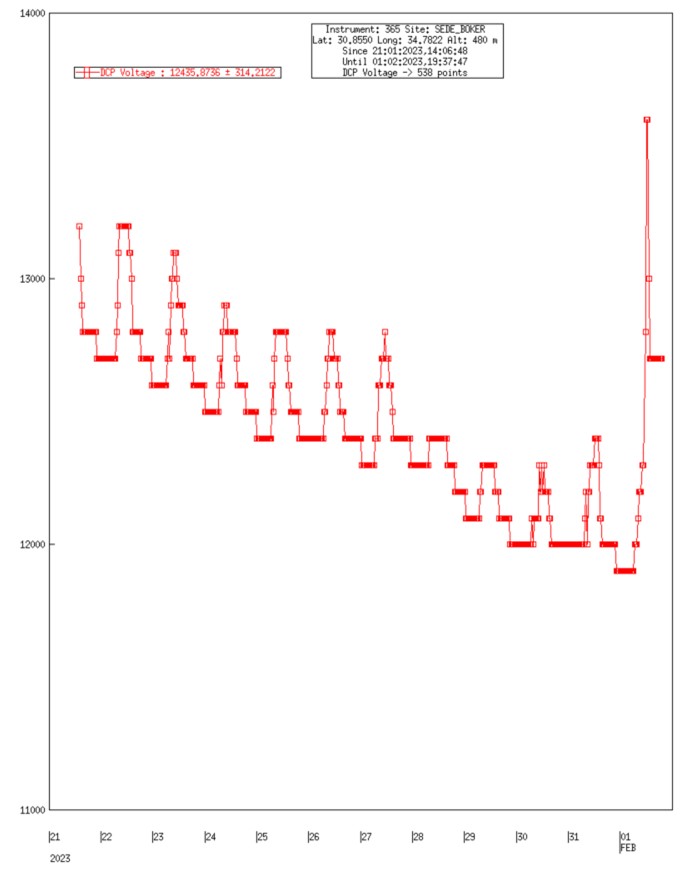
Description The Data Collection Platform (DCP) is a satellite transmitter used on older AERONET sites to relay data to AERONET via GOES or similar satellites. It is powered by its own dedicated 12 V battery, separate from the Cimel battery. This flag is raised when that DCP battery shows a declining voltage trend over the past month, following the same slope-based logic as the Cimel battery flags.
Condition(s) Include battery voltage trends for all 3 batteries: Scan daily average battery voltages for previous month; flag if the trend is less than -0.5V for DCP and Cimel External 12V batteries; flag if the trend is less than -0.2V for Cimel 6V internal battery
How To Check/Test Model 4 and 5: Test the transmitter battery (12V 18 Ahr) with volt meter.
Solution Level 1 (< 5 minutes) 1. Check/reseat all connections between solar panel and battery.
Solution Level 2 (more involved) 1. Replace battery or solar panel
Solution Level 3 (last resort) 1. Return instrument for maintenance.